การเชื่อมต่อคอมพิวเตอร์ 2 เครื่อง

การเชื่อมต่อแลน 2 เครื่องไม่ต้องใช้ ฮับ การเซ็ตค่า
1. เครื่องที่ 1 -คลิกขวา my Network pless > Properties -คลิกขวา ไอค่อนรูปคอมฯ 2 เครื่อง(locel Area connection) > Properties -General ติ๊กวงกลม Use the following IP addess - IP addess 192.168.1.1 - Supnetmask 255.255.255.0
*Alternate Configuretion - ติ้กวงกลม Use configured - IP address 192.168.1.1 - Supnet mask 255.255.255.0
1. เครื่องที่ 1 -คลิกขวา my Network pless > Properties -คลิกขวา ไอค่อนรูปคอมฯ 2 เครื่อง(locel Area connection) > Properties -General ติ๊กวงกลม Use the following IP addess - IP addess 192.168.1.1 - Supnetmask 255.255.255.0
*Alternate Configuretion - ติ้กวงกลม Use configured - IP address 192.168.1.1 - Supnet mask 255.255.255.0
2..เครื่องที่ 2 ก็ทำเหมือนกัน แต่เปลี่ยน IP address เป็น - IP address 192.168.1.2 -Supnetmask 255.255.255.0
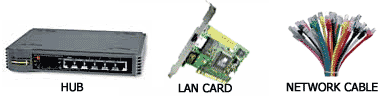
อุปกรณ์ที่จำเป็นต้องมี